v1.0.1Free and open source · WordPress 7.0+
Move your WordPress content. Not your mess.
Pick the pages, products or posts you need — or just ask your AI agent. They arrive on the other site with their images, their settings and their homepage: no database dump, no broken images, no search-and-replace.
Free and open source. No account, no upsell, no “pro” version.
Sound familiar?
Moving content shouldn’t mean rebuilding the site
Images break after the import
WordPress’s export only points to your media. The importer has to download every file from the old site — and if it’s offline, slow or behind a login, you get gray boxes.
The homepage is gone
Settings never travel with WordPress’s export. Your static homepage, posts page, shop and checkout pages arrive as ordinary pages, and you rebuild the site by hand.
Migration plugins bring the junk
Copying the whole database brings transients, logs, sessions and the tables of plugins you deleted years ago — and overwrites the site you were importing into.
How it works
Three steps. No new tools to learn.
It works inside Tools → Export and the WordPress Importer — the screens you already use — and makes them finish the job.
- Step 1
Choose what moves
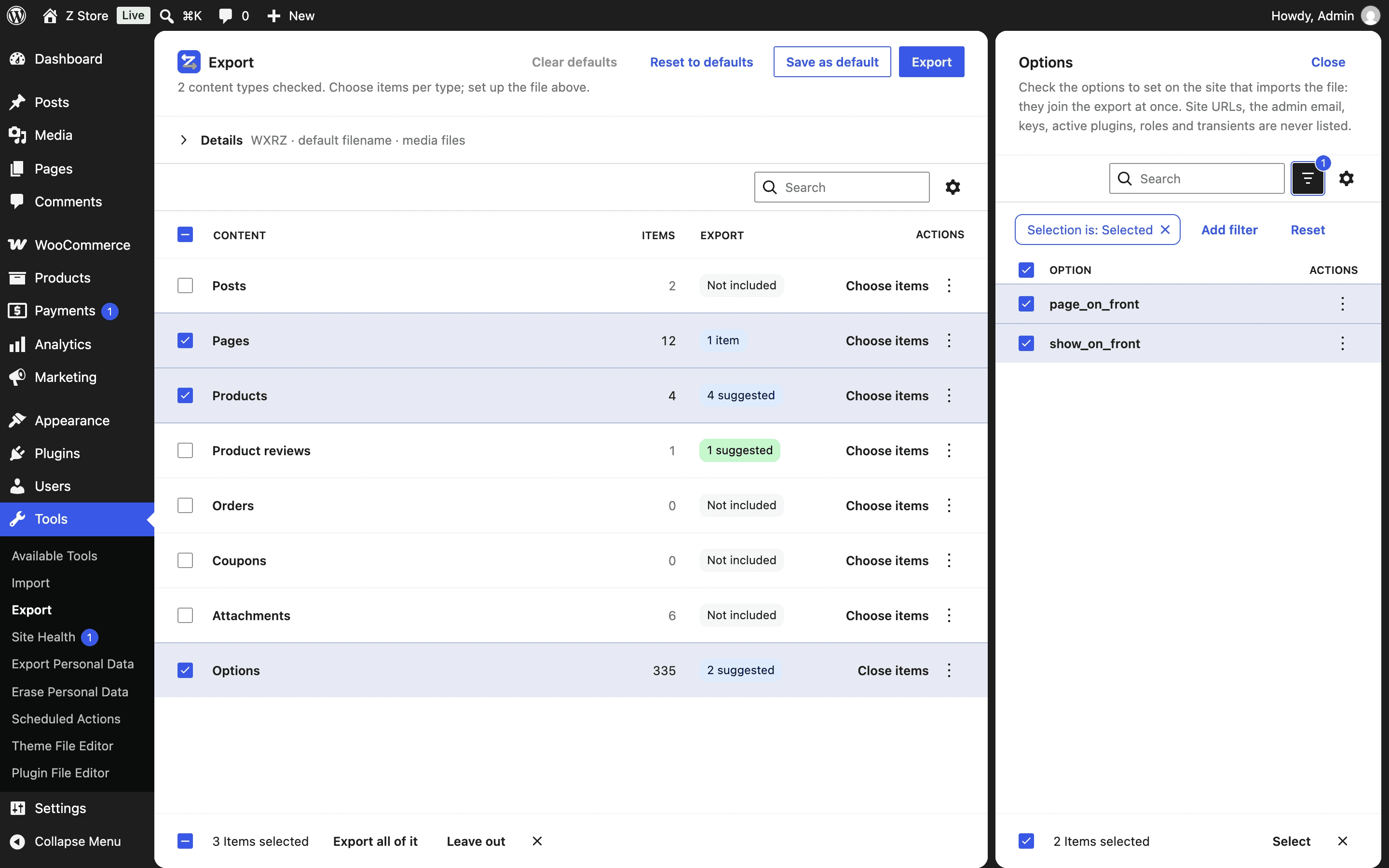
On Tools → Export, check the content types or the exact items. What they use — the products a page shows, the settings that point to it — comes up as a suggestion.
- Step 2
Get one complete file
Content, media files, the settings that point to it and each post as readable .html — in one .wxrz or .zip.
- Step 3
Import it anywhere
Tools → Import opens the WordPress Importer you already know, dressed like the Export screen — or install the file as a plugin and click Run import. Media comes from the file, IDs are remapped, settings are set.
Agent-first
Built for AI agents, not bolted on
Every export, import, copy and setting is an ability of the WordPress Abilities API — typed input, typed output, permissions and safety hints. Connect an agent over MCP and ask in plain words; or call the same abilities over REST, PHP and WP-CLI.
- 12 abilities with JSON schemas an agent can read
- Read-only and destructive actions flagged for the agent
- Permissions are WordPress’s: export, import, manage_options
- Docs for agents too: llms.txt and every page as Markdown
The clean middle way
Not a full migration. Not a bare export.
Copying the whole database drags along transients, logs, sessions and the tables of plugins long gone — and overwrites the site you import into. WordPress’s own export leaves out the media files, the settings and the images your content uses. Eizport takes only what you choose, and everything that depends on it.
| Full-site migration | WordPress’s export | Eizport | |
|---|---|---|---|
| What goes | The whole database and every file | One content type, or everything | What you choose, and what it depends on |
| Leftovers | Transients, logs, sessions, old plugins’ tables, spam | None | None: never transients, keys or caches |
| Media files | All of them | Not in the file — downloaded from the old site | Only the items’ media, inside the file |
| Media used in content | Yes, with everything else | Only attached and featured | Yes, attached or not |
| Settings | All, including the site’s URLs and users | None | The ones you choose; homepage, shop… follow their pages |
| IDs and URLs | Search-and-replace afterwards | Posts remapped; settings lost | Posts and settings remapped on import |
| Target site | Overwritten | Merged | Merged |
Choose
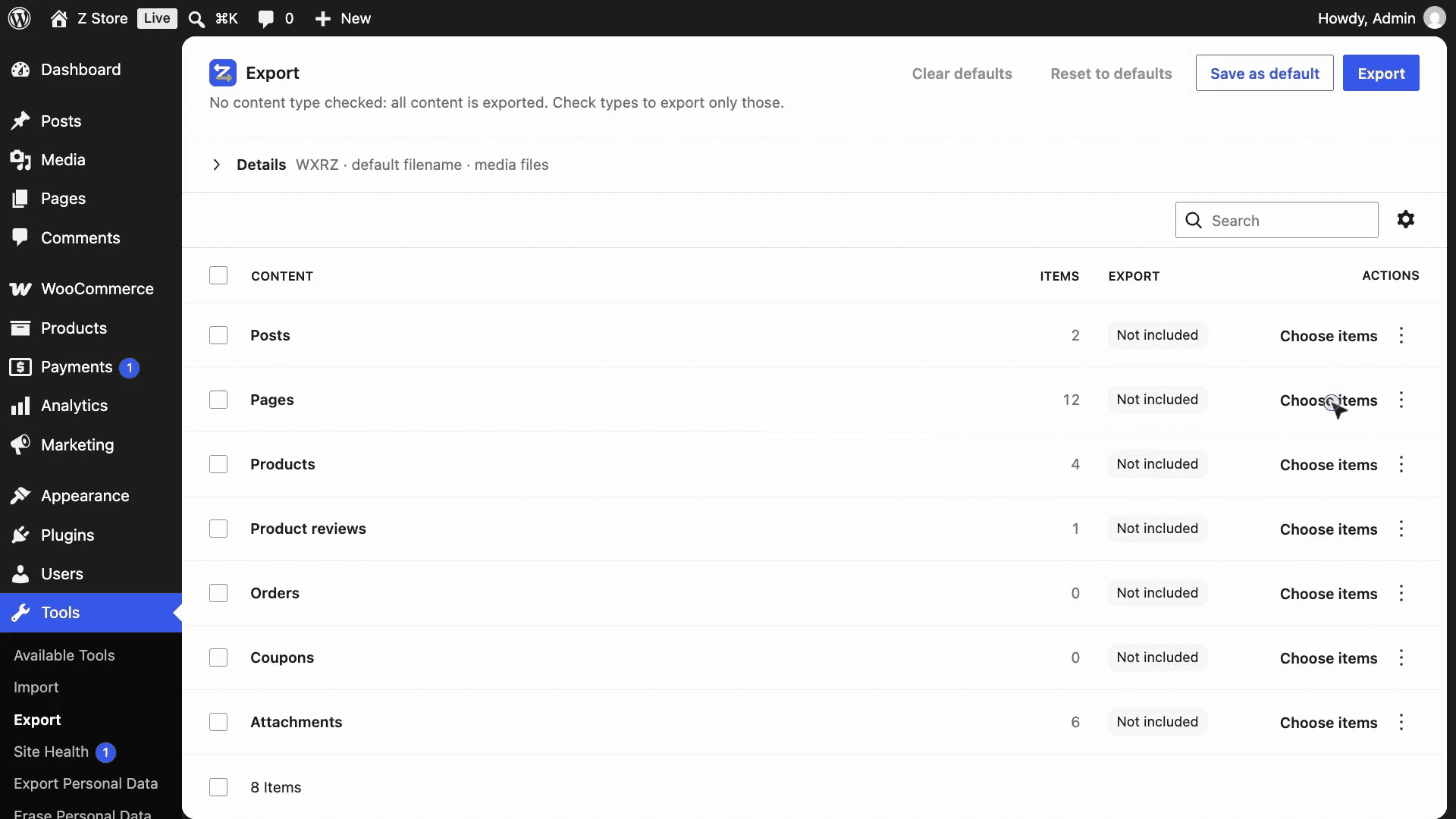
Take exactly what you need — nothing else
Posts, pages, products, forms, attachments and options sit in one list. Move a store’s catalog without the blog, or a landing page without the rest. You see what each row exports before you click.
- Several content types at once
- Variations come with their products; reviews when you want them
- Nothing checked? Everything goes, as you expect
Precision
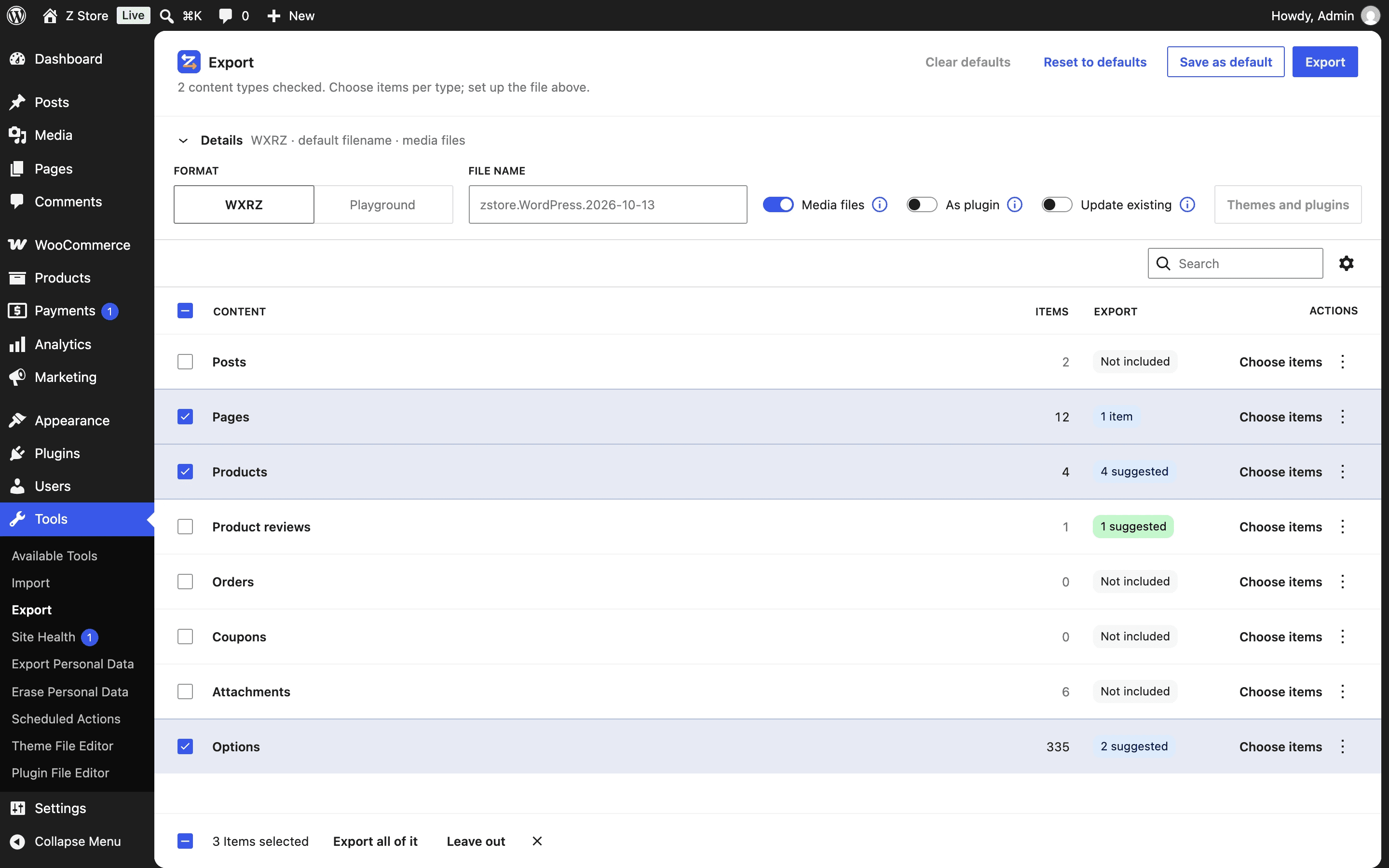
Hand-pick items — what they use is suggested
Open any type in a side panel, search it, filter it by status or category, and tick exactly the items you want: they join the export at once. The homepage, the shop and the checkout wear badges, and the products a page shows come up as suggestions, so you never leave a key piece behind.
- Your selection survives search and paging
- Products shown by blocks, and their reviews, suggested
- A Selected filter to review what you picked
Settings that follow
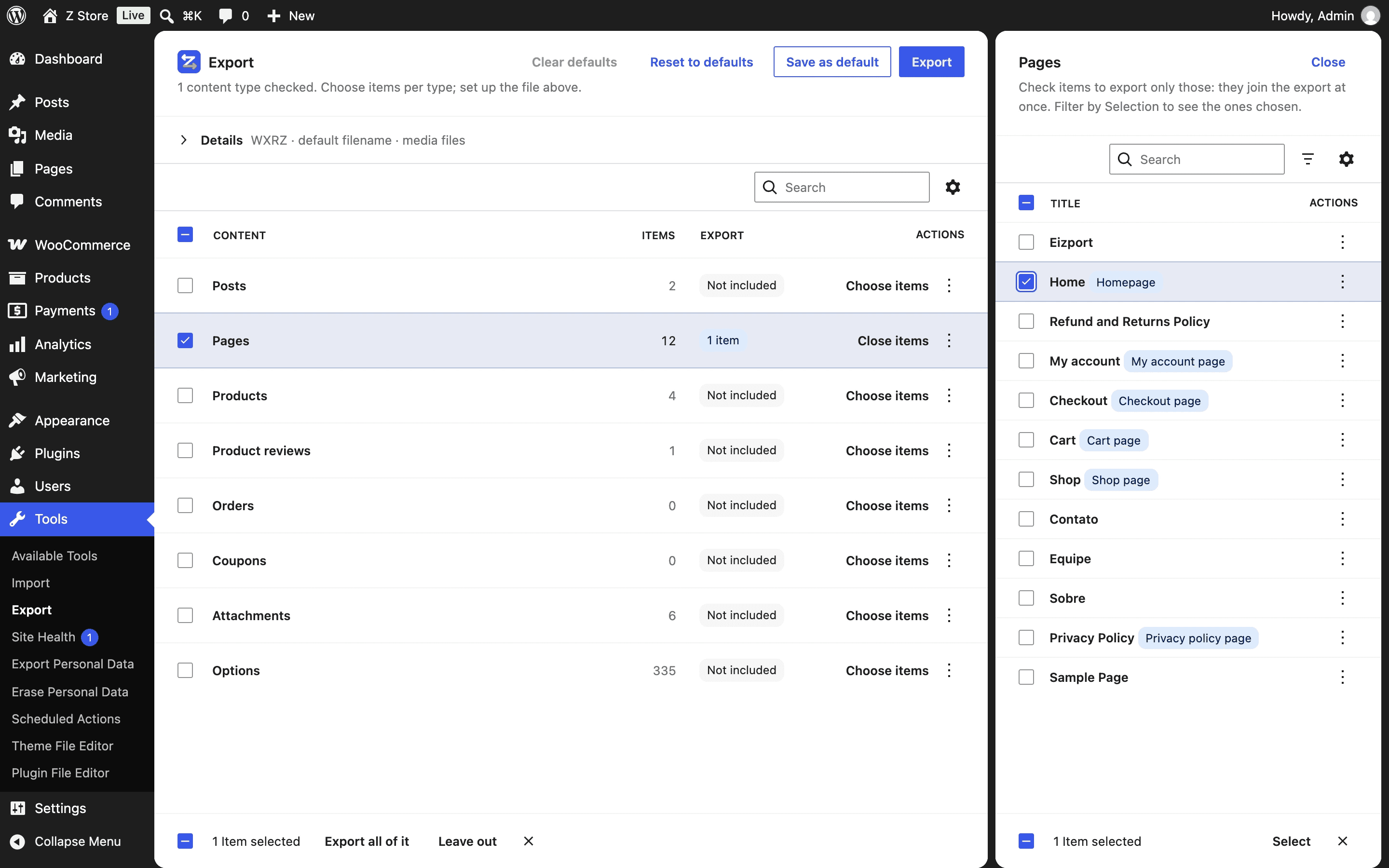
Your homepage is still your homepage
Pick a page that is the homepage, the shop or the checkout, and the settings that point to it are suggested — check Options and they come along, remapped to the new page on import. Add any other option one by one.
- Linked settings: homepage, posts page, shop, cart, checkout…
- IDs remapped to the imported pages
- Site URLs, keys, users and plugins never leave
Demos in seconds
Ship a whole working site in one .zip
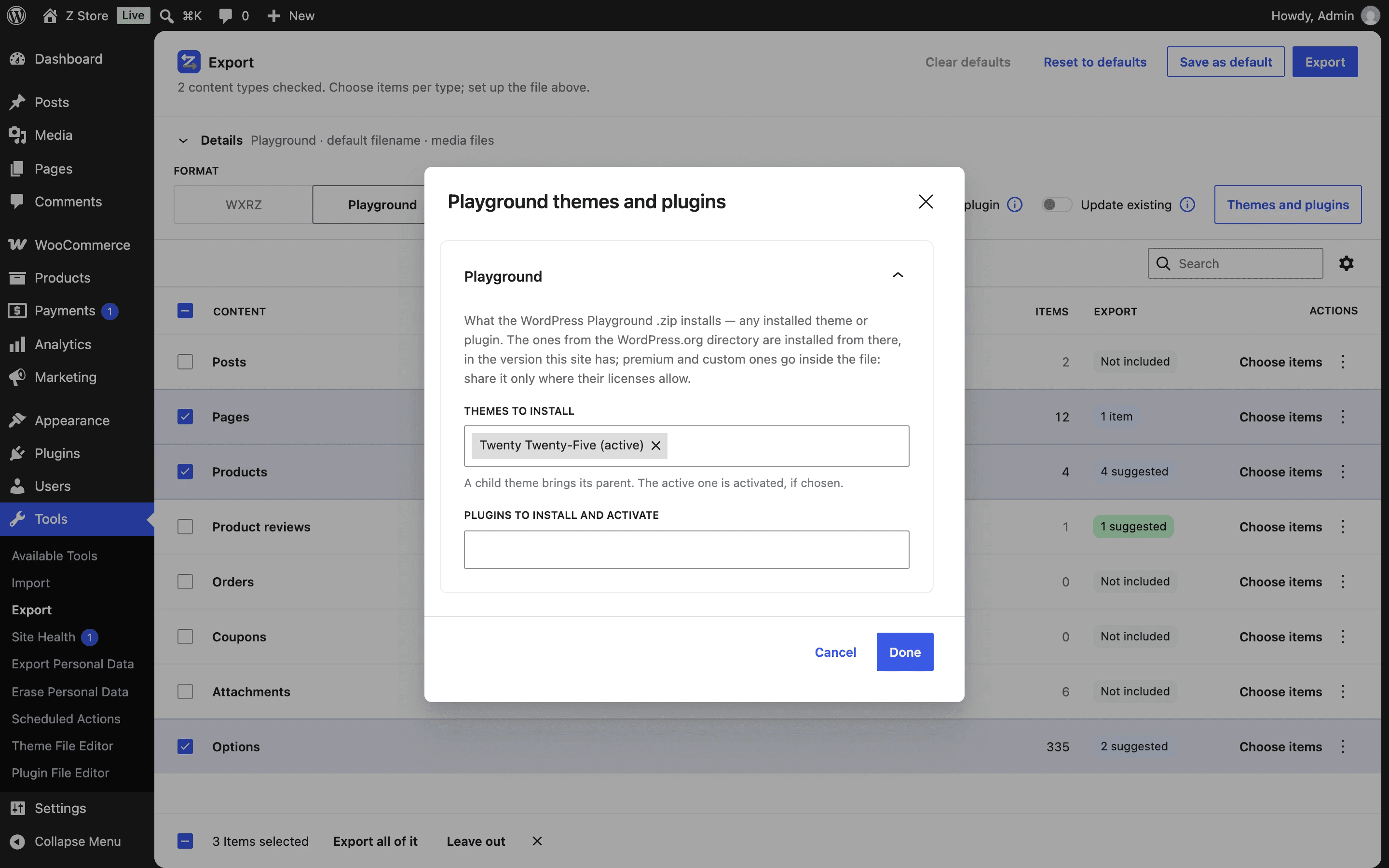
Export a WordPress Playground bundle with your content, its media, the theme and the plugins you choose — premium and custom ones too, not only the directory’s. Playground runs in the browser, so even a copy made on your laptop’s local server opens on playground.wordpress.net with one link.
- Works from localhost: Playground runs in your browser
- Any installed theme or plugin, premium or custom
- Or run it offline: npx @wp-playground/cli server --blueprint=site.zip
One click on the other site
Send a plugin that imports itself
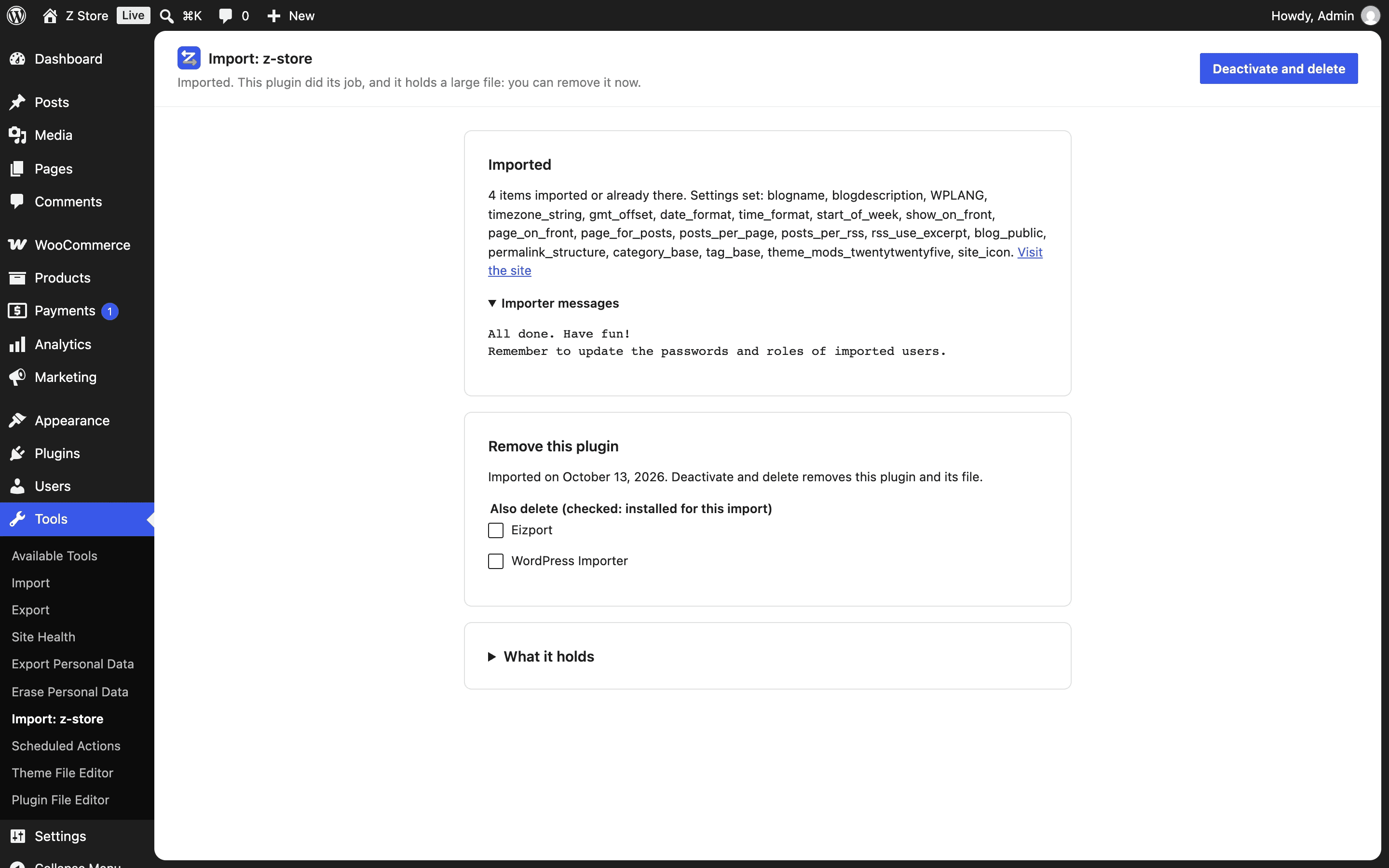
Turn on “As plugin” and the file becomes a plugin with the bundle inside. On the other site, install it like any plugin: its screen under Tools checks that Eizport and the WordPress Importer are there — with links to install them — and imports the bundle with Run import. No file to upload, no importer screen; when it’s done, it offers to delete itself.
- No upload, no importer screen
- Checks what it needs, with install links
- Deactivates and deletes itself when done
Your way
Set it once. Every export follows.
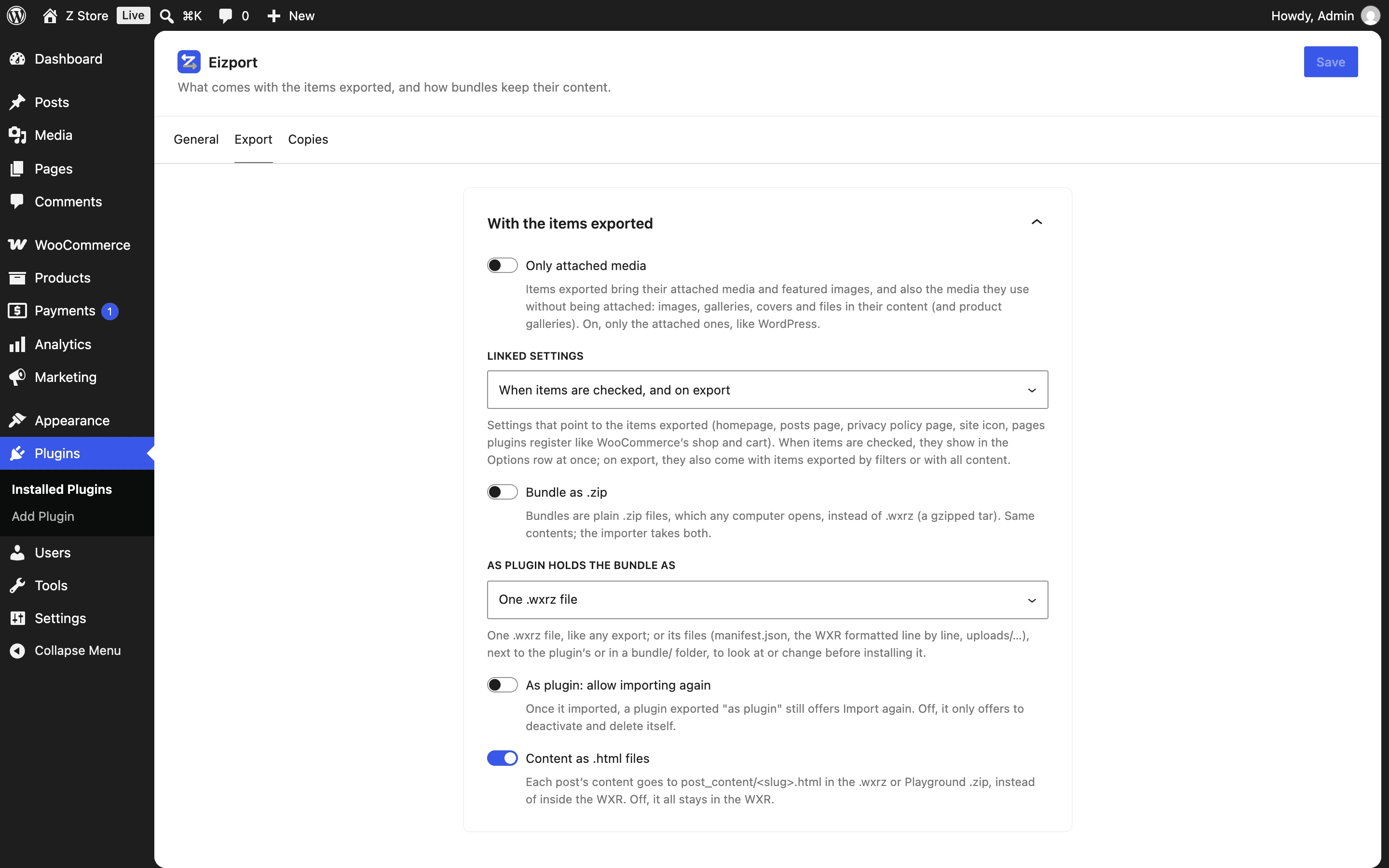
Bring the media your content uses or only what’s attached, choose when linked settings join, make bundles plain .zip files anyone can open — and save your favorite export as the default, for you or the whole team.
- Save as default, per user or site-wide
- Plain .zip bundles on request
- WordPress’s Export screen untouched, or classic, if you prefer
Nothing lost
Every export kept — briefly, and out of sight
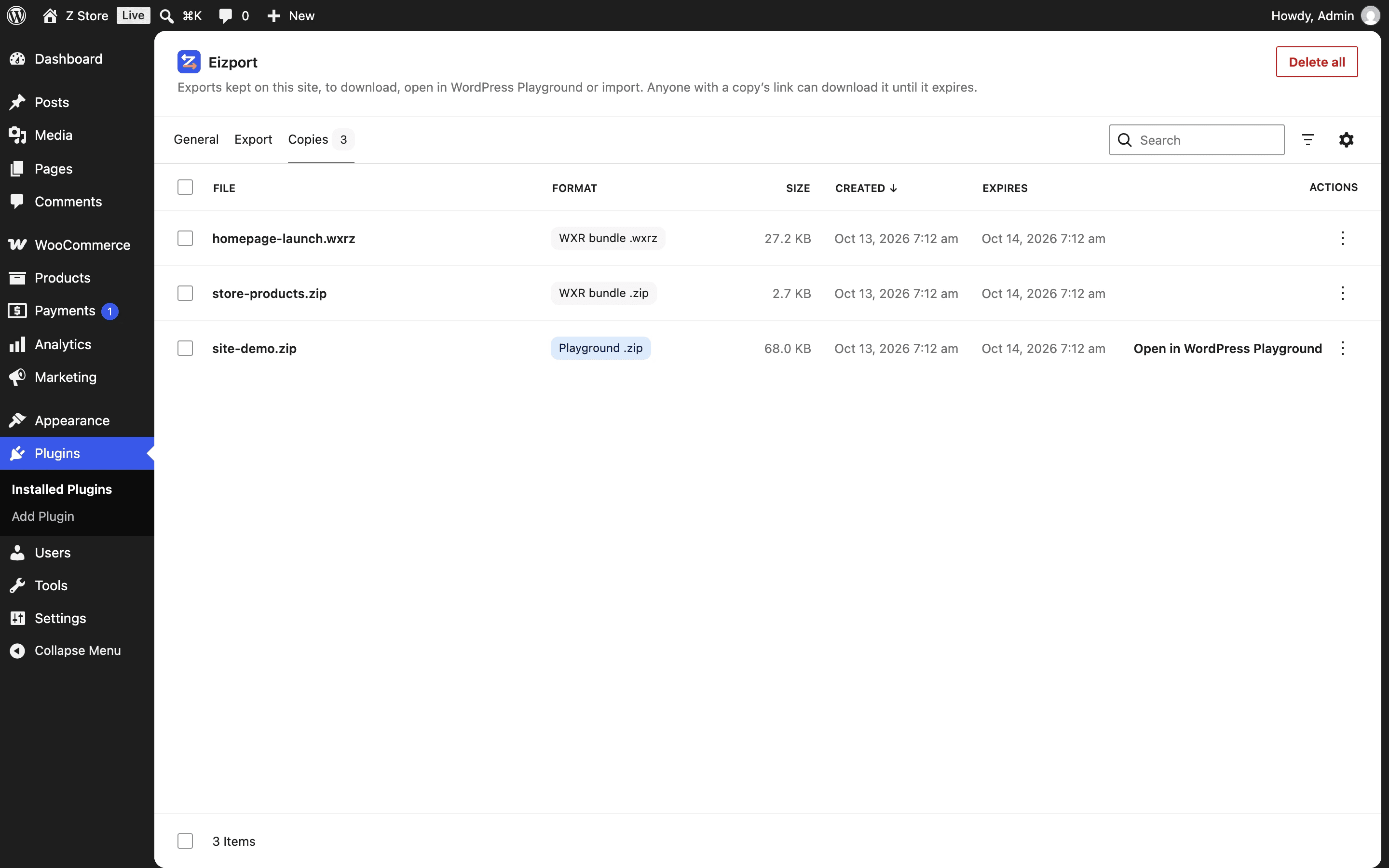
Each export is kept as a copy you can download again, open in Playground or import back. Online, its link works like a password: a random token no one can guess. Search engines are told to stay away, direct access to the folder is blocked, and a cron job deletes the copy when its time is up.
- Random 16-character token in every link
- robots.txt, noindex and a locked folder
- Expires on its own — 1 hour to 1 week, set in Settings
Made for
Whoever moves WordPress content for a living
Agencies and freelancers
Move a finished section from staging to production, or a template page set from one client site to the next — without touching the rest.
Store owners
Copy a product catalog with its images, variations and shop pages to a new store, merged into what’s already there.
Theme and plugin makers
Package demo content with your theme or plugin as a Playground .zip, ready for reviewers and buyers.
Developers and AI agents
Script every export and import through the Abilities API, REST or WP-CLI — or let an agent do it over MCP.
Formats
The right file for each trip
The format follows what goes in it: plain WXR when it’s only content, a bundle as soon as media or settings join.
| Format | File | Media files | Settings | Content as .html | Best for |
|---|---|---|---|---|---|
| WXR XML | .xml | No | No | No | WordPress’s own export, unchanged |
| WXRZ | .wxrz | Moving content between sites | |||
| WXR ZIP | .zip | When people will open the file | |||
| Playground | .zip | A runnable site: content, theme, plugins | |||
| As plugin | .zip | Import with one click on the other site |
Works with
Plugins it knows — and the ones it doesn’t yet
Support for a plugin is a compatibility built on public hooks. WooCommerce has one; the others below weren’t tested, so here is what to expect from how they store their data.
WooCommerce
Supported- Products, variations, orders and coupons
- Shop, cart, checkout and account pages follow their pages
- Products shown by blocks suggested; reviews in their own row
Advanced Custom Fields
Not officially supported yet · not tested- Field values travel with the posts (custom fields)
- IDs inside fields (images, relationships) aren’t remapped
- Field groups: export them with ACF’s own tools
Elementor
Not officially supported yet · not tested- Designs travel with their pages (_elementor_data)
- Image IDs and URLs inside designs aren’t remapped
- Site kit and templates: Elementor’s Import / Export Kit
On a phone
Works where you are
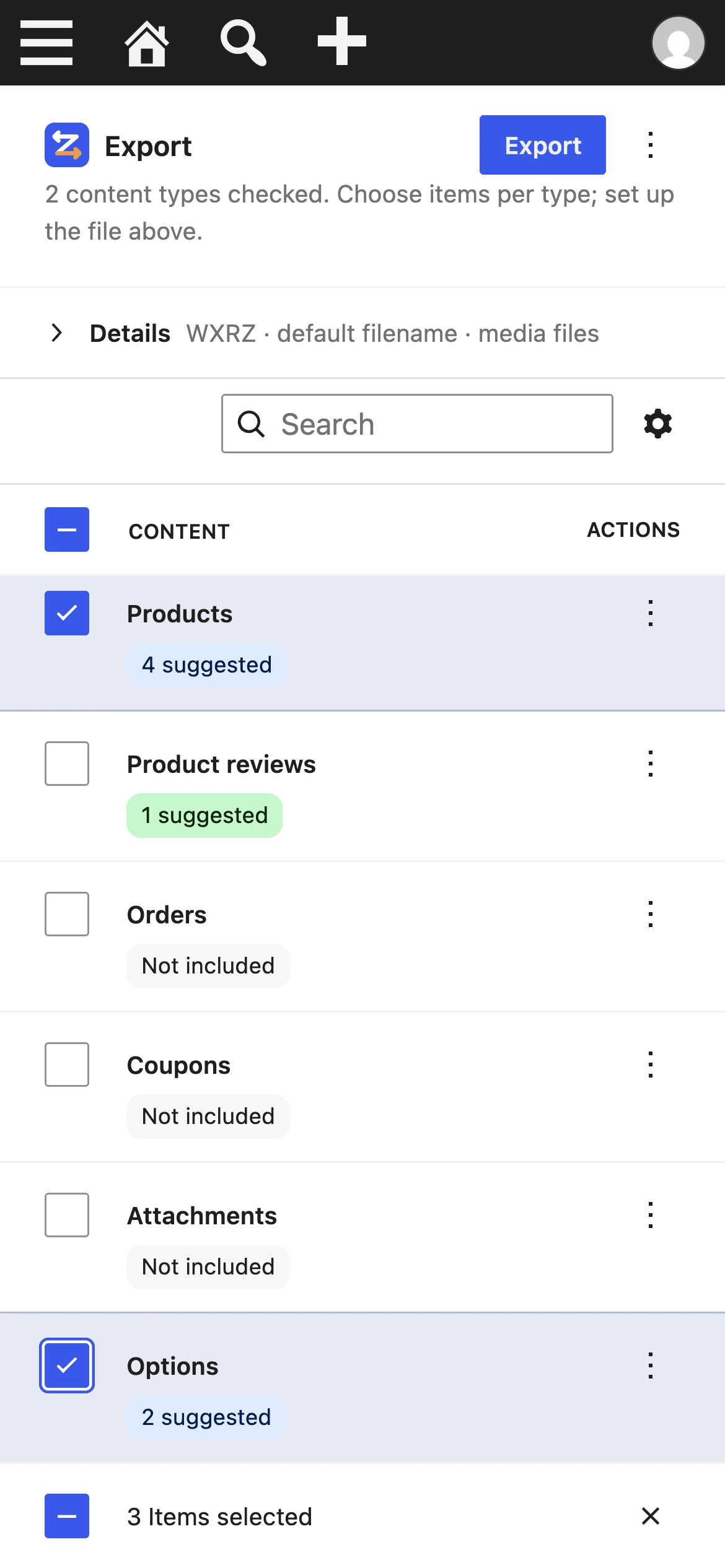
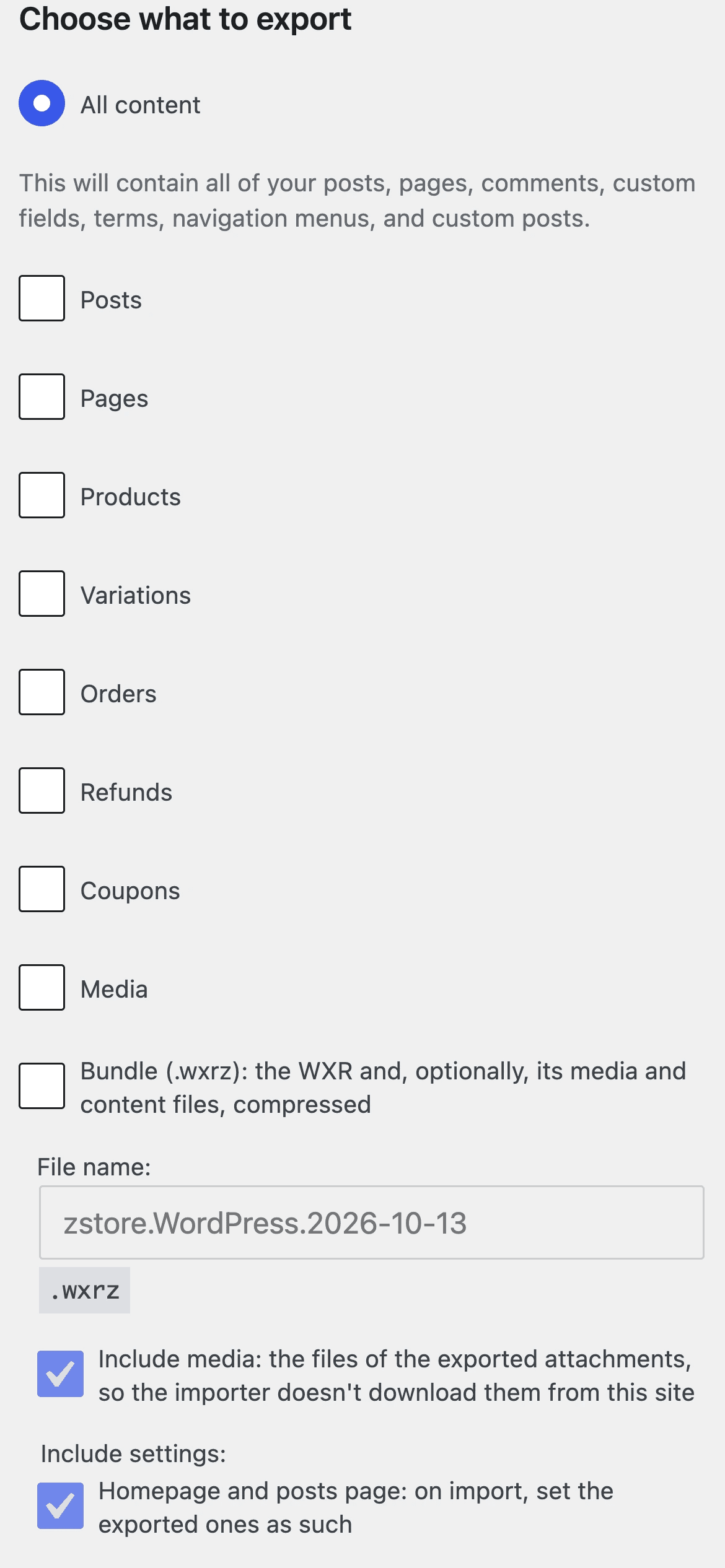
Both Export screens fit a phone: the list keeps what matters under each title, the Details panel stacks, and every checkbox of the classic screen is a 40px row to tap.
For developers and AI agents
Automate every export and import
Every step is an ability of the WordPress Abilities API: call it over REST, from PHP or WP-CLI, or hand it to an AI agent over MCP. Your plugin can register its own pages, settings and media through hooks.
curl -u admin:APP_PASSWORD -X POST \
  https://example.com/wp-json/wp-abilities/v1/abilities/eizport/export/run \
  -H "Content-Type: application/json" \
-d '{"input":{"types":{"page":{"ids":[43]}},"zip":true}}'add_filter( 'eizport_linked_options', function ( $linked ) {
$linked['my_landing_page'] = array(
'label' => 'Landing page',
'with' => array( 'my_landing_enabled' ),
);
return $linked;
} );Before you install
Questions people ask
Is it really free?
Yes. Free and open source under the GPL, with no account, no license key and no paid version holding features back.
Will it overwrite the site I import into?
No. It imports with the WordPress Importer, which adds the content to the site. Only the settings you chose to export are set.
Does the old site need to be online?
No. The media files travel inside the bundle, so the importer never downloads anything from the old site.
What about my private settings?
Site URLs, the admin email, keys and salts, users and roles, active plugins, transients and caches are never exported — whatever you pick.
Do I need the plugin on the other site?
To import a bundle, yes (plus the free WordPress Importer). Exported “as plugin”, the file tells you so and links to both. Plain .xml exports import anywhere, as usual.
Can the other site import without uploading a file?
Yes: export “as plugin”. Install that .zip like any plugin, click Run import on its screen under Tools, and it deletes itself when done.
Which plugins are supported?
WooCommerce: products, orders, coupons, shop pages, galleries and reviews. Advanced Custom Fields and Elementor aren’t officially supported yet and weren’t tested: their data travels with the posts, but IDs inside it aren’t remapped.
Stop rebuilding after every import.
Install it in a minute, export what you need, and let it arrive complete. Free, GPL, for WordPress 7.0 and later — version 1.0.1.