Exporting
Export screen
The new Tools → Export screen, part by part: the header actions, the Details panel, the list and the side panels.
Tools → Export opens a screen built like WordPress’s newest admin screens (DataViews and DataForm, on core’s admin screen framework). It runs the plugin’s abilities, so the screen, REST and AI agents export the same way.
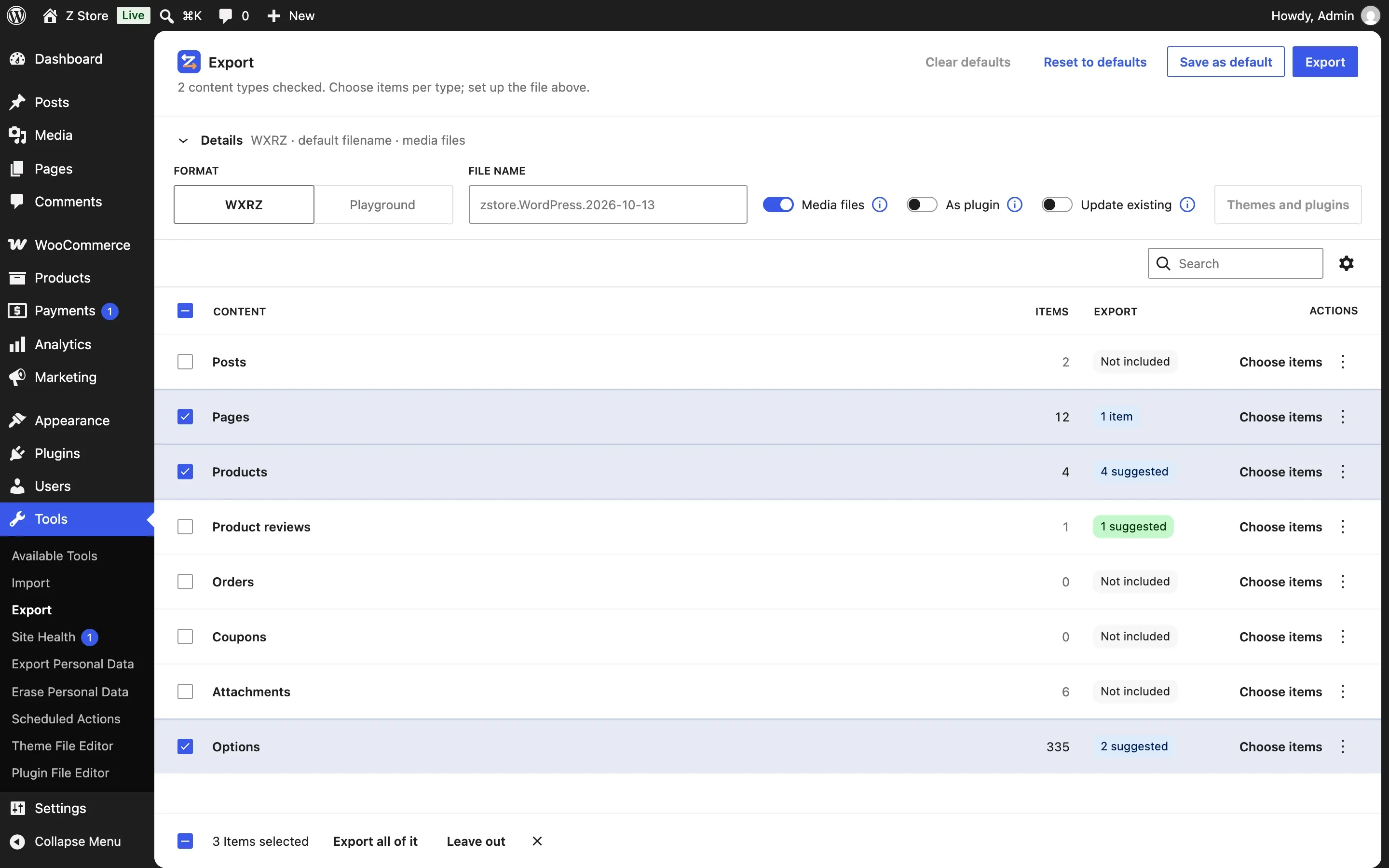
The list
One row per thing that can be exported:
- Content types — Posts, Pages, Products, Orders, Coupons, Forms and any custom post type with an admin screen. Children travel with their parents (a product’s variations).
- Attachments — media items, chosen directly.
- Product reviews — WooCommerce’s approved reviews, right after Products (choosing items). Products go without their reviews unless this row is checked.
- Options — site settings (more).
The Export column says what goes: Not included, All, 3 items, or for Options Basics + 2 items; an unchecked Options row shows 2 suggested (the homepage: page_on_front and show_on_front) when the items chosen have linked settings. Nothing checked exports all content, as WordPress does.
Each row’s actions: Choose items (opens the side panel; always shown, not only on hover; Close items on the row whose panel is open), Export all of it (where it doesn’t export all yet; for Options, every option) and Leave out (rows included). Check several rows to act on them at once.
The side panel
Clicking a row opens its items in a panel on the right (choosing items): what you check there joins the export at once, and Close goes back. The panel’s URL is shareable: …&p=/export?type=page.
The Details panel
Above the list, a Details line sums up the file — like WXRZ · default filename · media files · as plugin (custom filename once you type one). Click it to open its settings (it always starts closed):
| Field | What it does |
|---|---|
| Format | WXR XML (WordPress’s plain file), WXRZ or WXR ZIP (a bundle, as soon as media files or settings go with it) or Playground (formats) |
| File name | Empty: WordPress’s usual <site>.WordPress.<date>, shown as the placeholder |
| Media files | Put the exported attachments’ files inside the bundle; its ⓘ explains it |
| As plugin | Make the bundle a plugin that imports itself (as plugin); its ⓘ explains it. Off and disabled with Playground |
| Update existing | The import updates the pages, posts and products that already exist (same slug) instead of adding copies (more); its ⓘ explains it. Off and disabled with Playground, which starts from a new site |
| Themes and plugins | What the Playground .zip installs (enabled with the Playground format); a count on the button says how many are chosen |
Header actions
- Reset to defaults — goes back to the saved defaults (or to nothing chosen, without them). Dimmed when the choices already are those.
- Clear defaults — forgets the saved defaults; active only while Reset to defaults is dimmed.
- Save as default — keeps the current choices to start with next time (saved defaults).
- Export — writes the file as a copy and offers the download.
On a phone
The list shows only the title column, with what is exported under it; the Details panel stacks; the side panel takes the screen.