Settings
General
The plugin's Settings → General — whether Tools → Export is replaced, the classic screen, saved defaults and how long copies are kept.
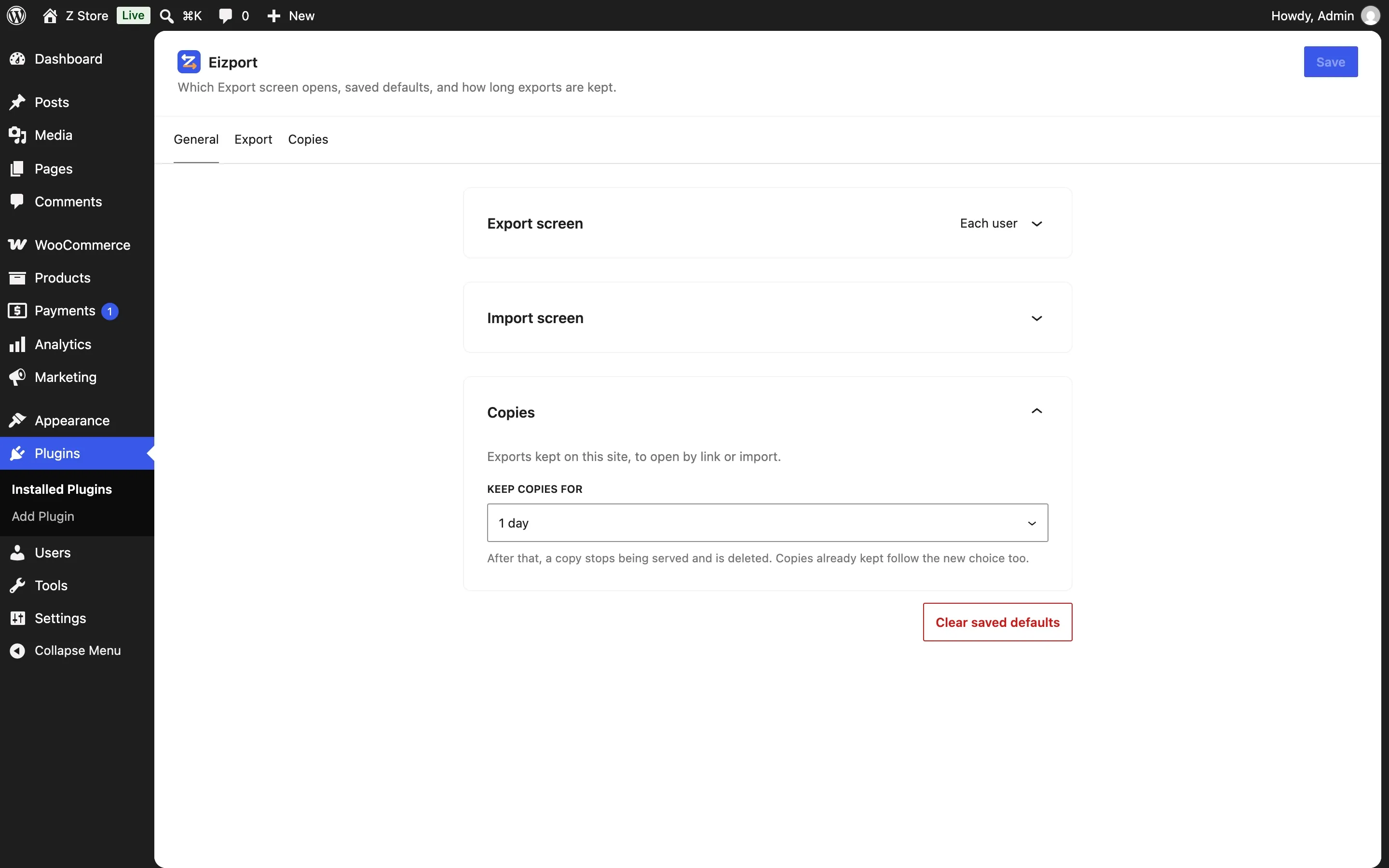
The plugin’s settings open from the Settings link in its row in Plugins (wp-admin/plugins.php?page=eizport-settings-wp-admin); they have no item in the Settings menu.
Export screen
| Setting | Default | |
|---|---|---|
| Replace Tools → Export | On | Tools → Export opens the plugin’s Export screen. Off, WordPress’s Export screen stays as it is, with nothing added, and the plugin’s is at Tools → Eizport |
| Use the classic Export screen | Off | Only while Tools → Export is replaced. |
| Defaults are saved for | Each user | Or The whole site (saved defaults) |
Import screen
| Setting | Default | |
|---|---|---|
| Open the WordPress Importer from Tools → Import | On | Tools → Import goes straight to the WordPress Importer, when it is active; its screen links to All importers (import.php?all=1). Off, Tools → Import lists them, as WordPress does |
| Style Tools → Import → WordPress | On | The WordPress Importer looks like the plugin’s Export screen: a header with the main button, its steps in cards, and a file button in the admin’s language. Off, it looks as WordPress made it; .wxrz bundles are accepted either way (importing) |
Clear saved defaults forgets them (the current user’s, or the site’s).
Copies
Keep copies for: 1 hour, 12 hours, 1 day (default), 1 week, or until deleted. After that a copy stops being served and is deleted by a cron event (and on the next use, where cron doesn’t run). Copies already kept follow a new choice too. Developers can override it with eizport_copy_lifetime.
Who can change them
Settings need manage_options. The page itself opens for anyone who can export (to see the copies).