Exporting
Choosing items
Items per content type, chosen in the side panel at once; suggestions; the Selection filter; children, attachments, reviews and roles.
Each content type is exported whole (its row checked in the list) or by items, chosen in its side panel.
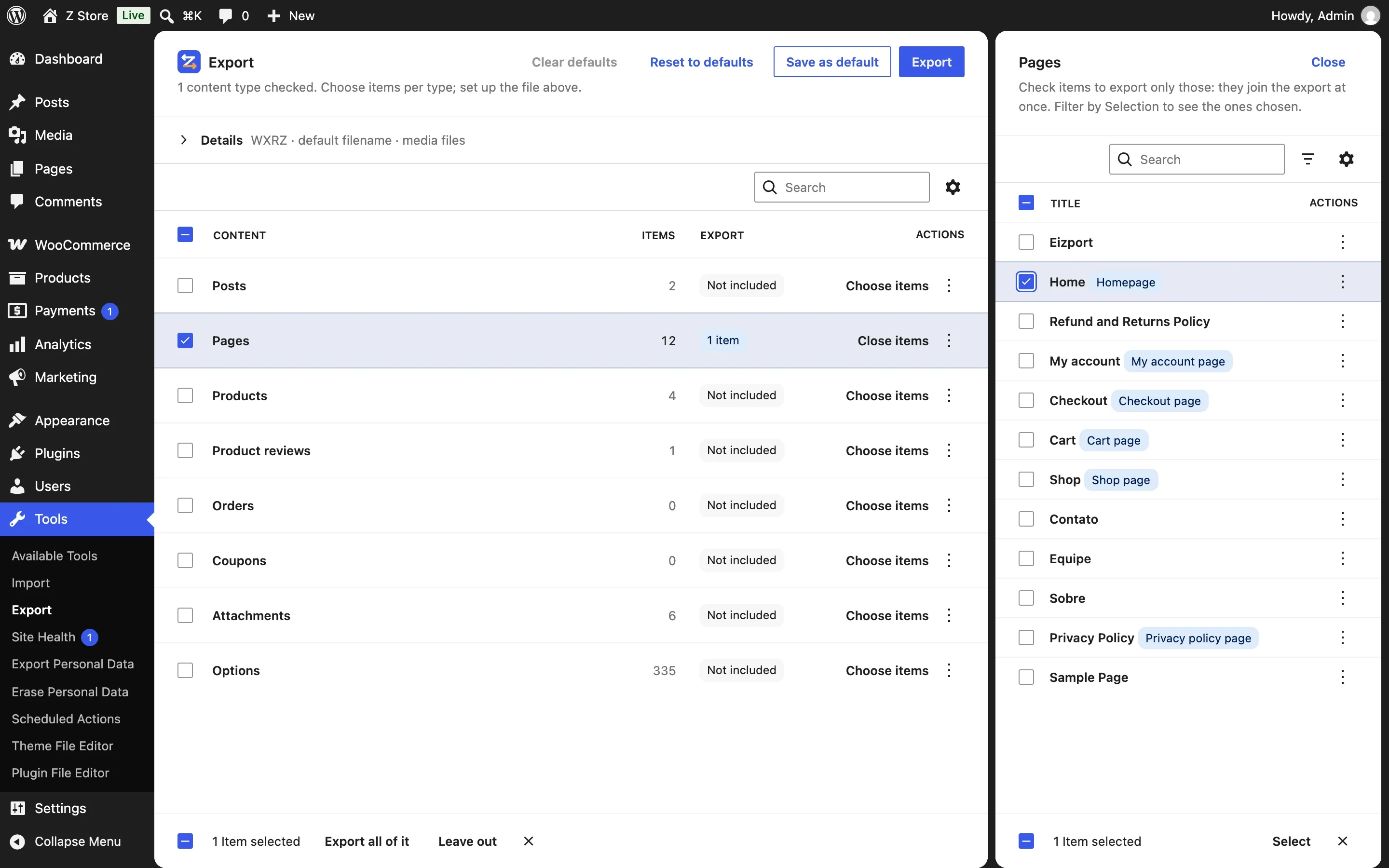
Choosing
Check an item, or click it, and it joins the export at once: the list behind the panel shows 1 item, 3 items… Uncheck the last one and the type is left out again. The choice survives search and paging: check some on page 1, search, check more. Close goes back to the list. The Options panel works the same way.
Suggestions
What you choose can suggest more, shown as N suggested in the other rows — counted, not named, and not exported until that row is checked:
| Choosing | Suggests |
|---|---|
| A page a setting points to (homepage, posts page, shop…) | Those settings, in Options (linked settings) |
A page whose blocks show products (Hand-picked Products, Product Collection with hand-picked products, Single Product, Featured Product, [products ids="…"]) |
Those products, in Products |
| Products with reviews | Their approved reviews, in Product reviews |
Checking a row with suggestions brings them, and it still says 2 suggested — with what else you chose: 2 suggested + Basics + 1 item. Unchecking one of them in the row’s panel turns the rest into plain items. Export all of it takes the whole type instead. Plugins add their own suggestions with eizport_suggested_items.
Finding items
- Selection — All, Selected or Suggested. A panel opens on Selected when its row has items chosen, else on Suggested when there are suggestions.
- Status and each taxonomy (product categories, tags…) narrow the list to find items; they don’t export anything by themselves.
Exporting by filters (status, author, dates, terms) stays on the classic screen and in the eizport/export ability.
What comes along
| With | Comes along |
|---|---|
| Any item | Its attached media and featured image (WordPress does this) |
| Any item | Media used in its content without being attached (media) |
| A product | Its variations. Its reviews only with the Product reviews row (they are suggested) — on the classic screen and in the ability without reviews, all of them |
| A page | Its child pages only if they are chosen too |
| An item with a role | The settings that point to it, suggested in the Options row (linked settings) |
Roles
Items that a setting points to show a badge: Homepage, Posts page, Privacy policy page, Site icon, and the pages plugins register, like WooCommerce’s Shop page, Cart page, Checkout page, My account page and Terms and conditions page. Plugins add their own through eizport_linked_options.
Limits
The classic screen lists the latest 1,000 items per type (filter eizport_selection_limit); the new screen pages through all of them.