Exporting
Classic screen
WordPress's own Tools → Export with the plugin's choices added, for those who prefer it; also on phones.
Settings → General → Use the classic Export screen makes Tools → Export open WordPress’s own screen, with the plugin’s choices added. It is always at wp-admin/export.php?classic=1.
It exists only while Replace Tools → Export is on (the default). Off, WordPress’s Export screen gets nothing from the plugin, and the setting is hidden: the plugin’s screen is at Tools → Eizport.
What it adds
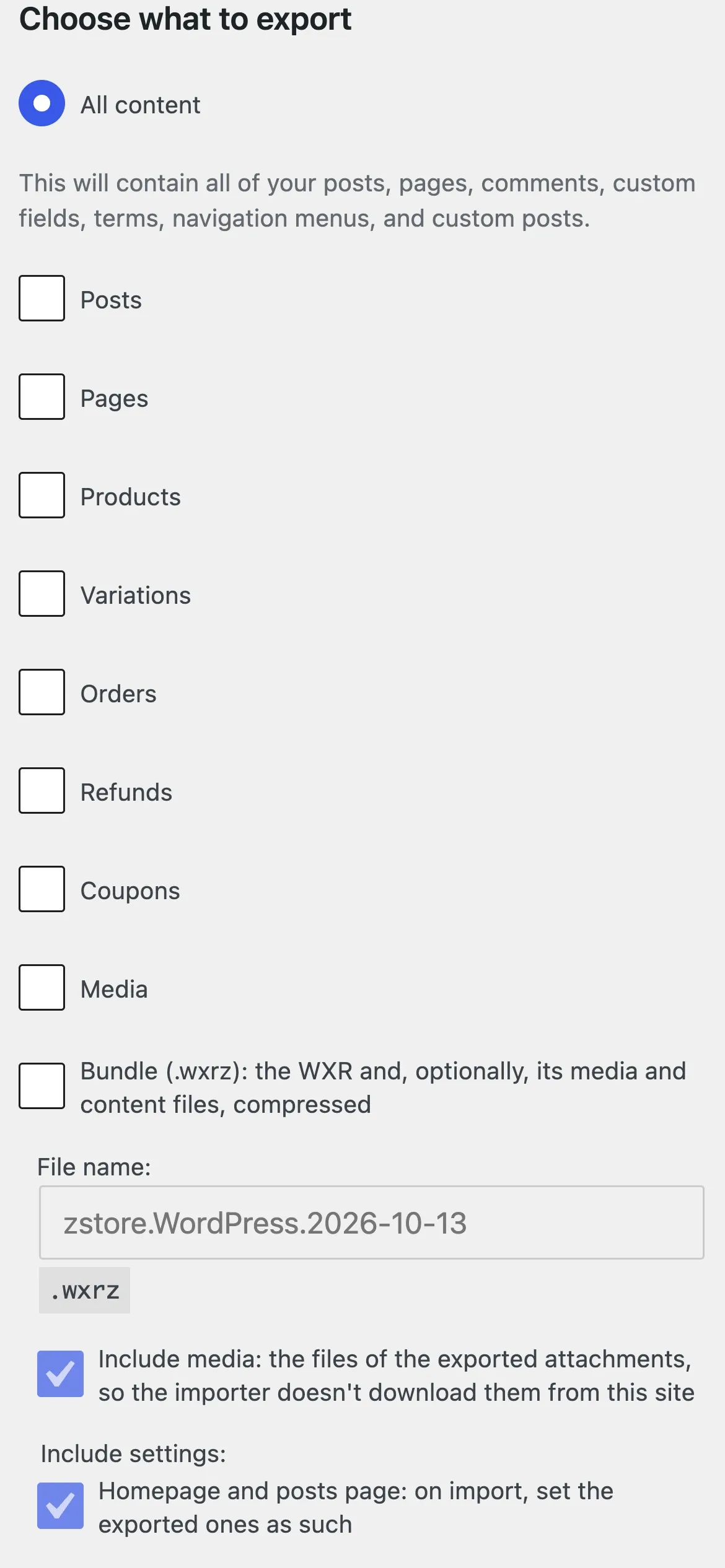
- Several content types: core’s single choice becomes checkboxes (“All content” stays).
- By filters or by selection per type: WordPress’s filters for posts, pages and media; the same kind for products and custom post types (dates, status, author, each taxonomy); or a checklist (a tree for pages) with a box to filter it.
- Bundle (.wxrz or .zip): file name, media files, settings (groups, homepage and posts page, other options by name), a Playground blueprint with themes and plugins, and a temporary copy to open by link on playground.wordpress.net.
- Save these choices as my default, and a screen that starts with them.
On phones
Every checkbox and radio is a row at least 40px high to tap, the box drawn as WordPress draws it; nothing scrolls sideways.
Without JavaScript
The type checkboxes stay core’s radios and one type is exported, still by filters or by selection.